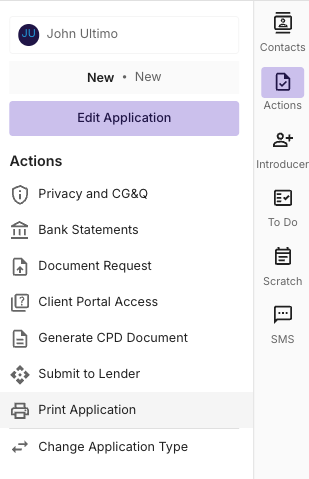
In some cases, you may need to download the application as a PDF, to either send to the lender, or store within your own secured platforms.
To Print Application, navigate to the “Actions” tab on the right hand side of the deal.
Note* The printing of applications is intended to be a broker and/or lender facing document, not intended to be provided to a client. The Print application function may display data not intended for the client, including brokerage & commission details.
Printing Consumer Applications
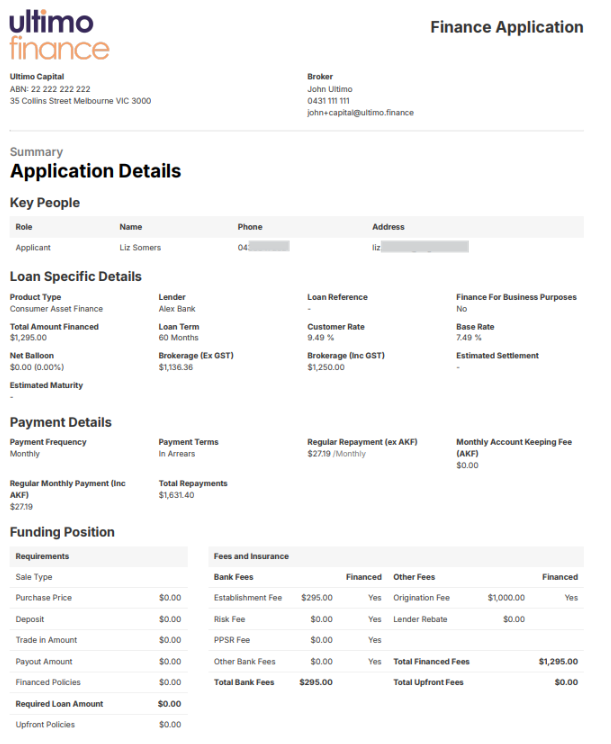
By Selecting the Print Application function, the CRM will download you a copy of the application, as captured in the Deal. This information will include:
Broker Details
Broker Group Details
Key People (applicants)
Loan Specific Details
Funding Details
Lender Notes
Purchases and Purchase Details
Applicant personal details
Income
Assets & Liabilities
Expenses
Here is an example of a printed application and the data that it entails:
Printing Business Applications
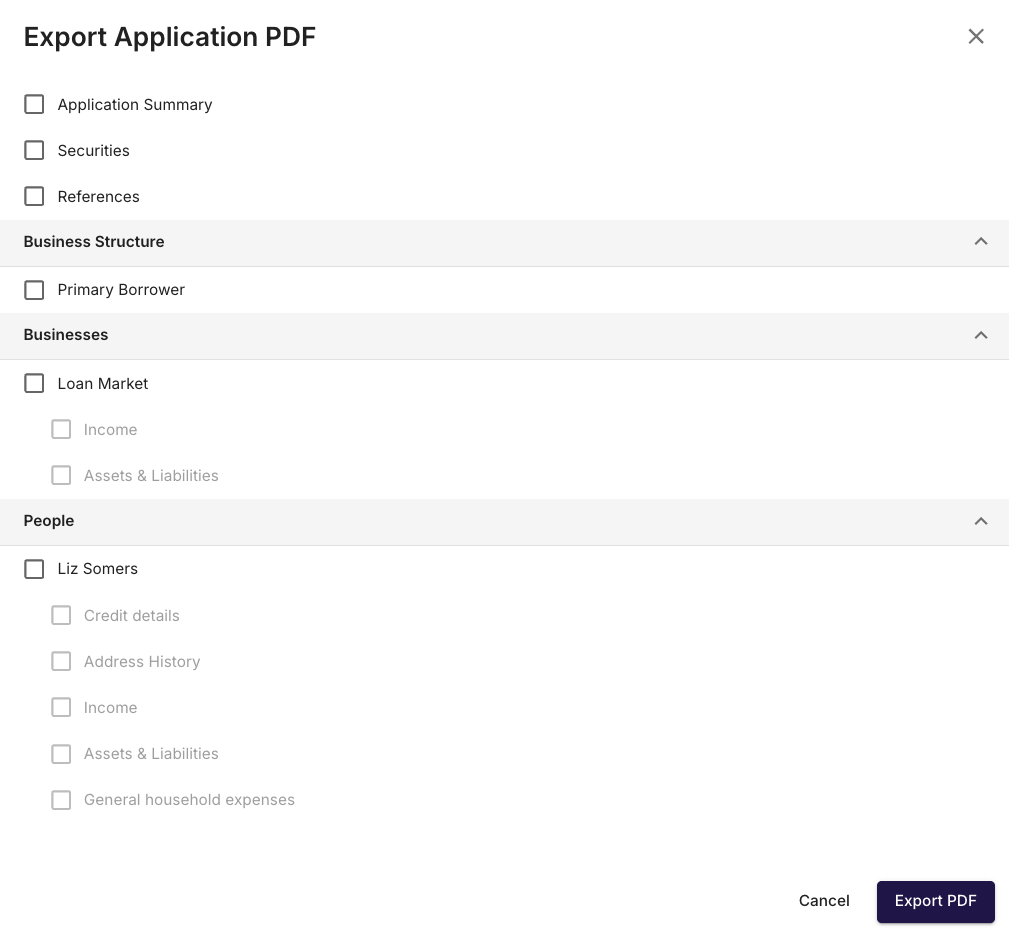
After selecting the Print Application function, you will be prompted to select the details that you would like to display, as captured in the Deal.
This information Can include:
Broker Details
Broker Group Details
Application Summary
Securities
References
Business Structure
Business Details
Natural person Details
When you have selected the appropriate field to print, you can save this document as a PDF by selecting the Export to PDF Function at the bottom right hand side of the drawer.
Example: