To Send the Privacy Consent Credit, Credit Guide and Quote, navigate to the “Actions” tab on the right hand side of the deal.
You will need to create a deal before you are able to issue these documents.
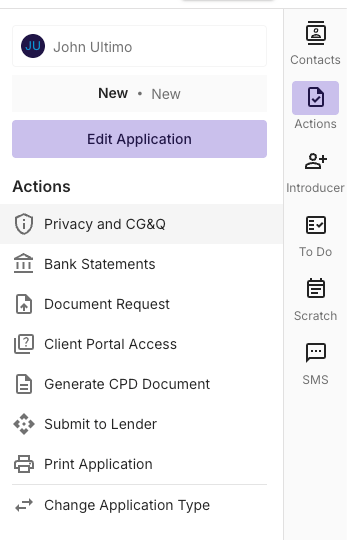
Sending the request via SMS
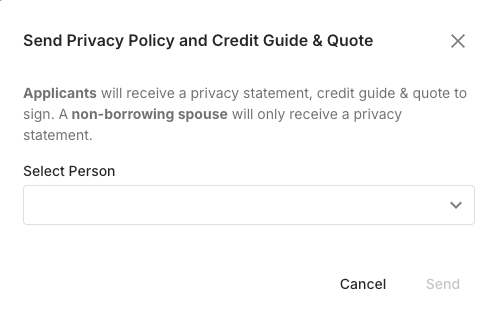
Once Selected, you’ll select the person you’d like to send the request to and initiate the request.
When actioned, the system will deliver a SMS to the customer with a link for digital signing on their phone.
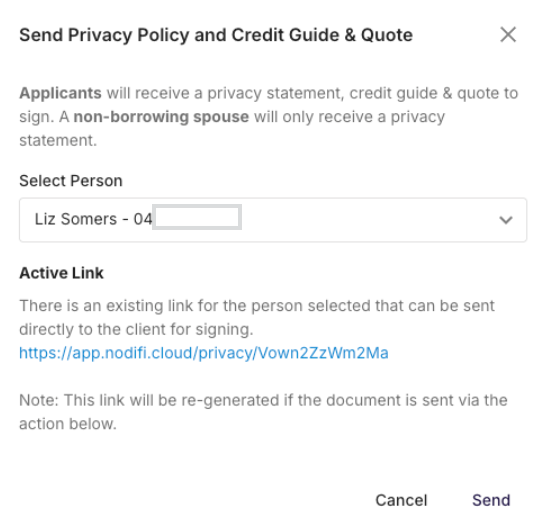
Accessing a link that was sent
If required, you can restart the above process to access the Active Link that can be re-sent via SMS or copied and attached to an email.
Non-Borrowing Spouses
To comply with the privacy act, It is recommended that a privacy consent is held for non-borrowing spouses when information and or documentation is captured.
When sending to a person nominated as a Non-Borrowing spouse they will only receive a Privacy consent NOT including a Credit Guide and Quote.
Privacy Consent Storage
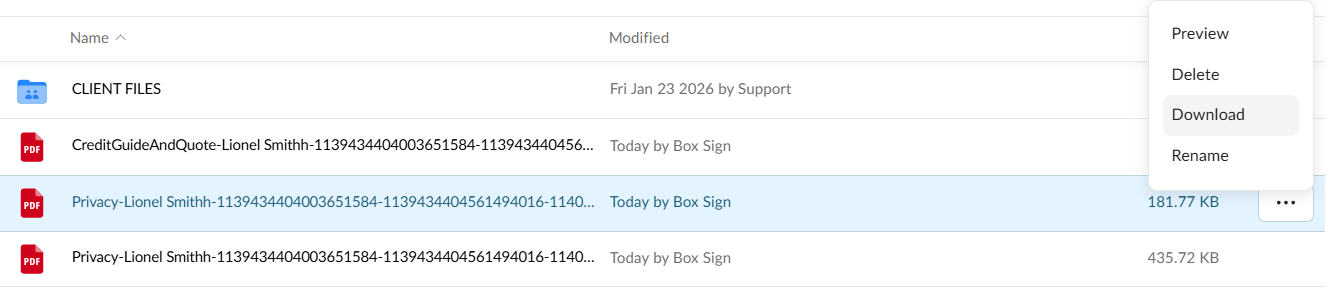
The Privacy Consent, Credit guide and quote will be saved to the Documents tab inside the application, and a signing log (audit trail) document will be automatically updated when signed.
Note; You’ll also receive an email when the client has completed the document.