Creating a new deal
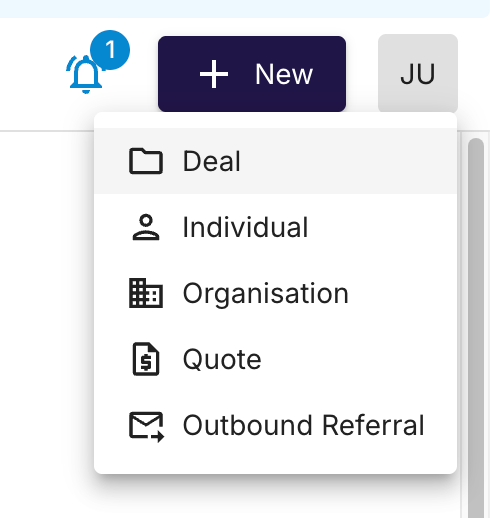
Go to the top right hand of NodifiCRM and click +NEW then click DEAL
Deal Assignment
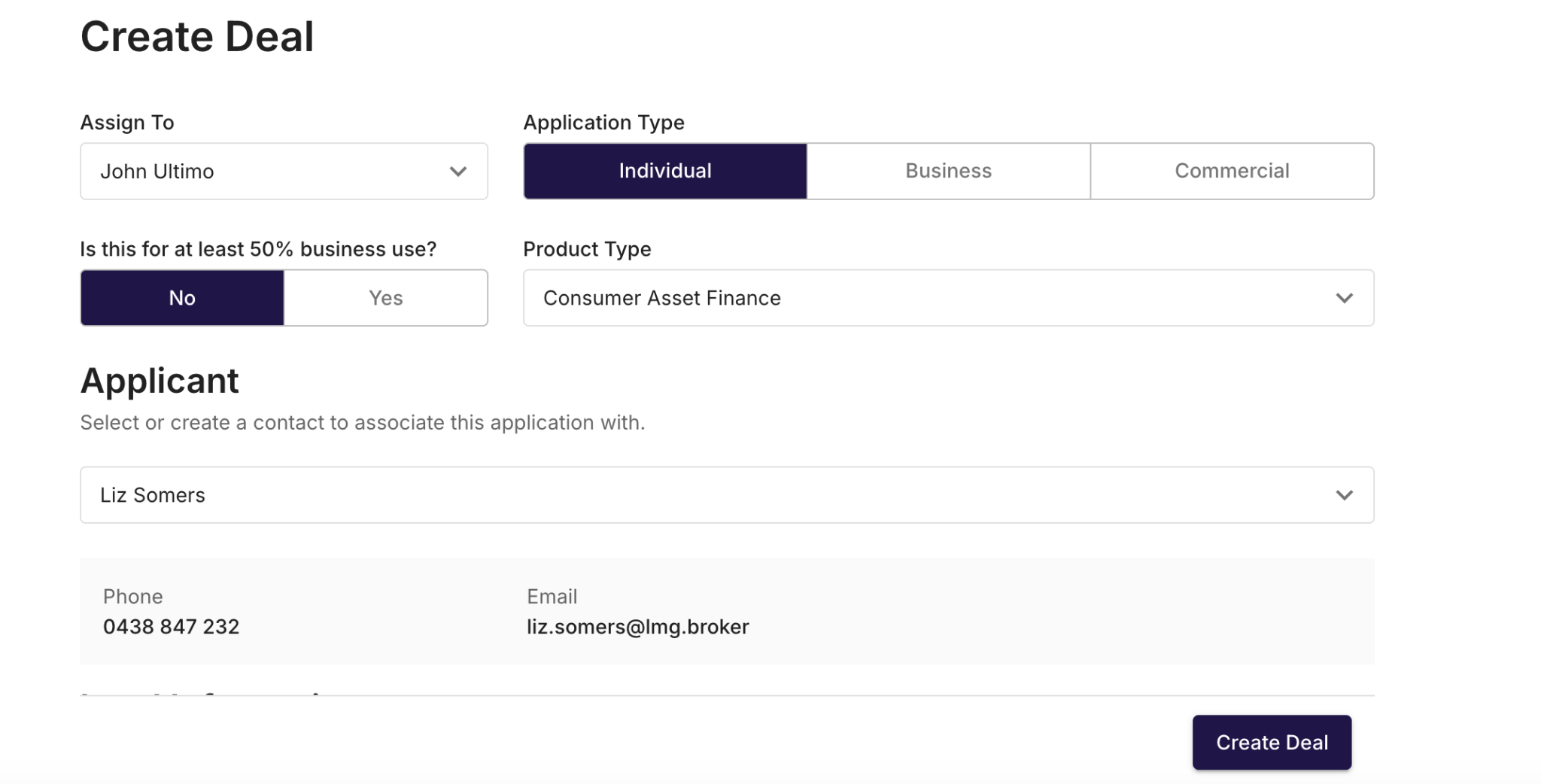
The created deal will automatically be assigned to the creator, this can be changed if there are multiple loan writers within your organisation.
Application Type
For a Consumer application, it is important to select “Individual” as the Application Type.
It will ask “is this for more than 50% business use” Select No for Consumer applications
Select the correct Product type, either Consumer Asset Finance or Consumer Personal Loan.
Applicant Details
Enter individual/customer details - if you have a returning customer, then their name will appear and you will be able to select them as the applicant.
If they are a new customer, then it will prompt you to create a new customer.
Lead Source & Lead Details
There are several lead sources that are selectable, ensuring you select the most accurate.
Adding an Introducer
An introducer is recognised as the person and/or business which referred the deal to your organisation.
To add an introducer when creating the deal, you must select a lead source such as “Referral - Private Introducer”. This will enable the allocation of an introducer contact that exists inside your
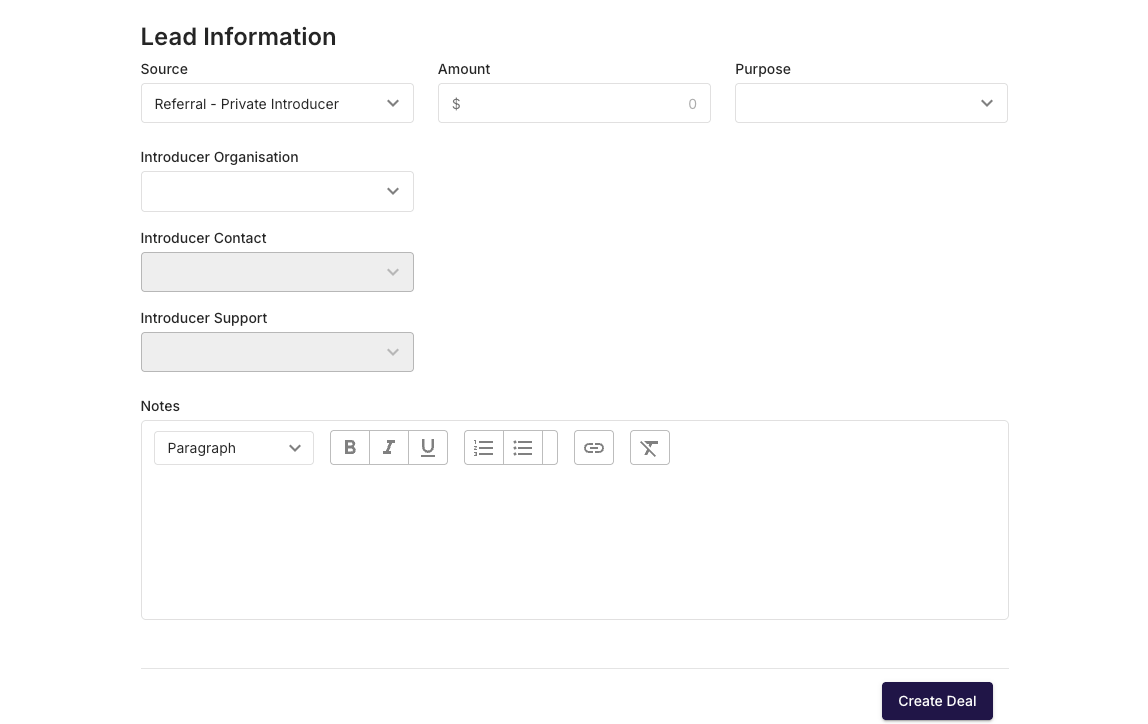
Then select Create Deal - you will be taken to the main application page.