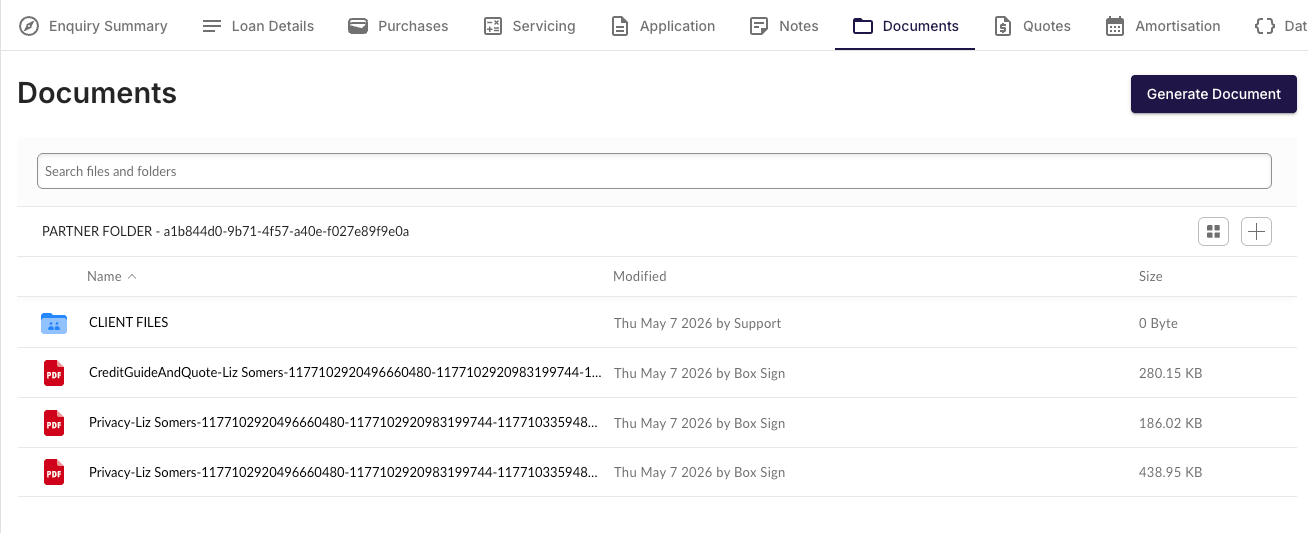
To initiate a Bank Statement request, navigate to the “Actions” tab on the right hand side of the deal.
Sending the Request
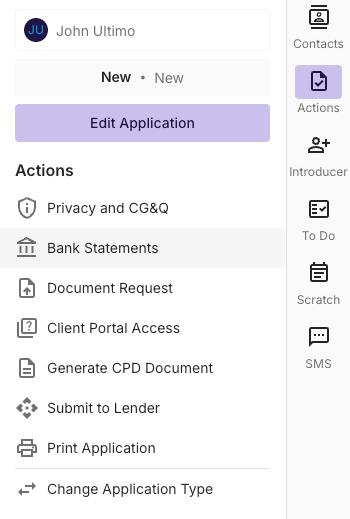
Once you’ve clicked on the Bank statement request button, you’ll be able to choose one or more people to receive the request. This can be sent to Applicants, Non-Borrowing Spouses, or any individual related to the application.
The request can be sent via EMAIL or SMS
You can select the relevant statement period to retrieve 3, 6 or 12 months of Illion statements.
Bank Statement Storage
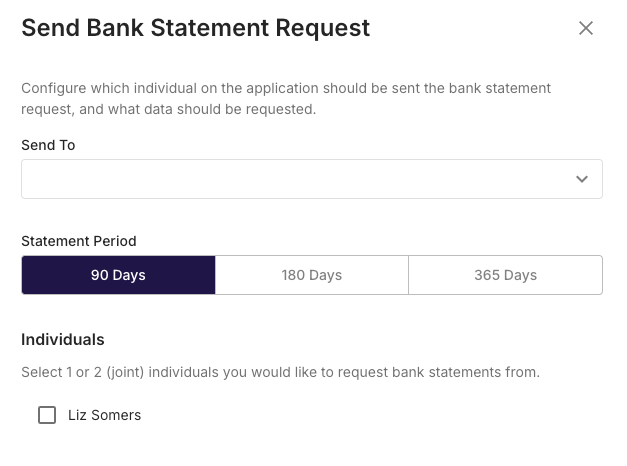
When the Bank Statement link has been completed by the recipient, a copy of the statements will be saved to the Documents tab inside the application.
Note; You’ll also receive an email notification when the client has completed the request.